Thanks, I will try the certificate add, I don’t even get a day exception, no exception at all. Chrome lets me view but has warning in front of the URL. Edge does not show anything except the warning. But I suspect that Edge has issues displaying the RPi website, even before these certificate problems.
Stefan
Next step, wade through adding my Tilt. I see the thread; it looks long so I will wait a week or two before I start
Edge has issues rendering the svg elements we use in builder. They’re replacing their rendering engine with chromium anyway, so we gave a very low priority to fixing that.
I have little experience with Edge and self-signed certs, but did find this: https://medium.com/@ali.dev/how-to-trust-any-self-signed-ssl-certificate-in-ie11-and-edge-fa7b416cac68
Tilt issues all use the same thread, leading to it being longer. Current status is that installation is pretty simple, and the service itself is stable, but that bluetooth is being bloody annoying.
Adding a Tilt service is easy. After that it’ll work, or it won’t.
Thanks again, I look forward to trying the Tilt addition out and to reviewing the Edge certificate workaround.
Uh-oh, now I get this message “Block ‘Temp Profile’ not found in store” and some other details on the dashboard have disappeared with a similar message. Did I do something wrong?
The datastore sometimes has issues starting up. Try running
brewblox-ctl http wait https://localhost/datastore
When that’s done, refresh your UI.
If the command times out, please run brewblox-ctl log, and we’ll take a look.
The brewblox-ctl wait ran OK - 1/60 Success! But refresh on my UI remained the same.
Should I PM you the termbin.com link?
Or is it safe to publish here?
Termbin links can be published here: they’re just the logs from your system. Feel free to read them before posting. I’d also be happy to answer any questions about their content.
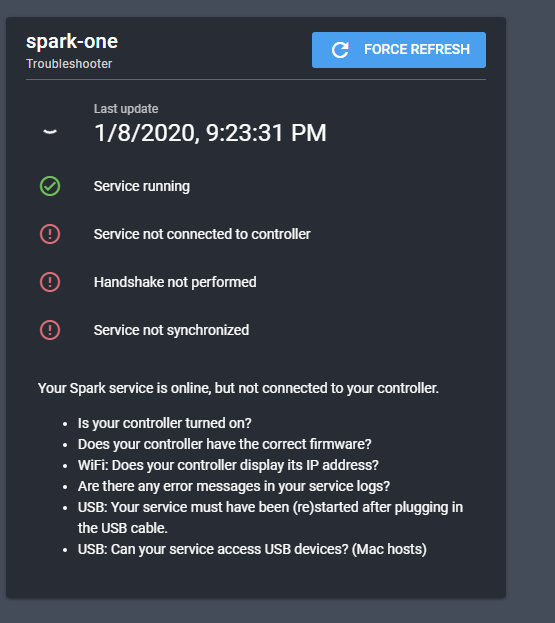
If you go to the Spark service page in the UI, you’ll likely see the troubleshooter. What does it indicate as being the problem?
The termbin address is https://termbin.com/ziu6. I had a quick look but the content is way above my head, I really am a Linux noob. What did strike (and frighten me) is that One message says Discovery failed, in relation to the Spark. That corresponds with the following when I click on the Saprk Service in the BrewBlox dashboard:
I tried pinging the Spark from my desktop as well as the RPi below is the proof that is reachable from the RPi:
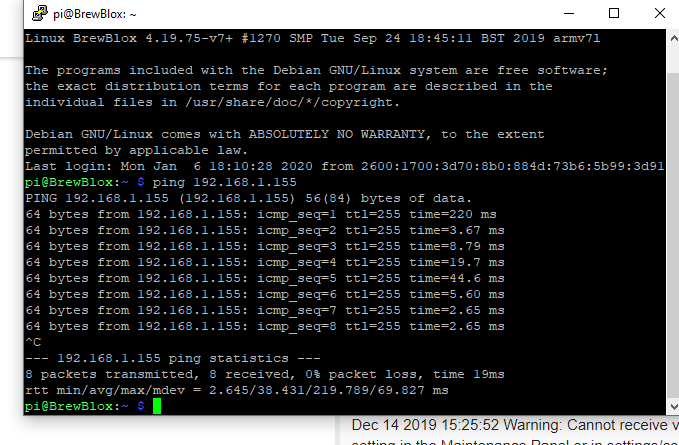
Does this help? Anything else I can send?
Stefan
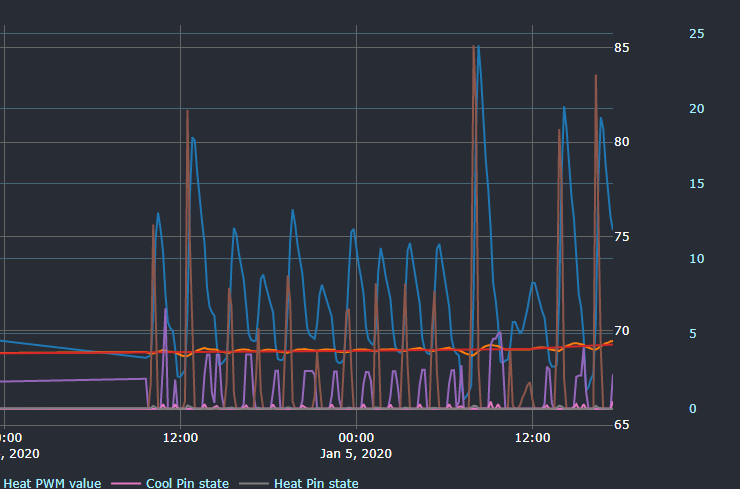
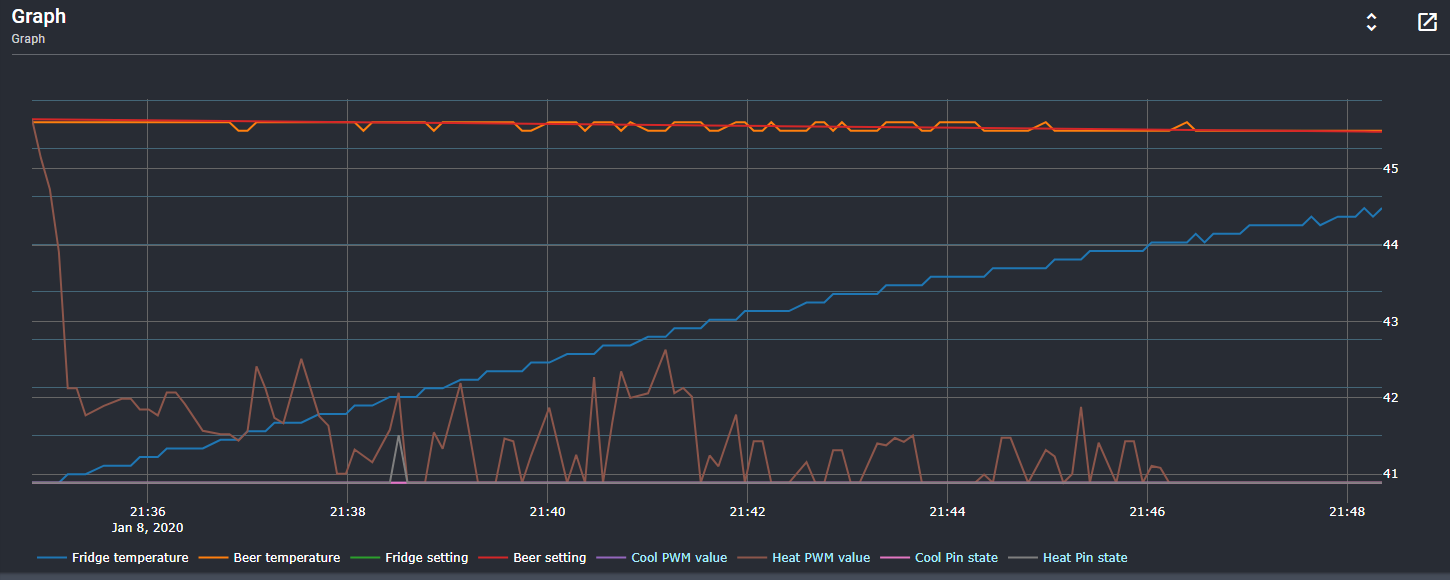
I guess all the above also explains why the dashboard shows the screen capture below on Jan 8th, but the graph shows only Jan 5th
Love technology when it works, hate it when it doesn’t and I don’t know enough to troubleshoot 
A few minutes later…
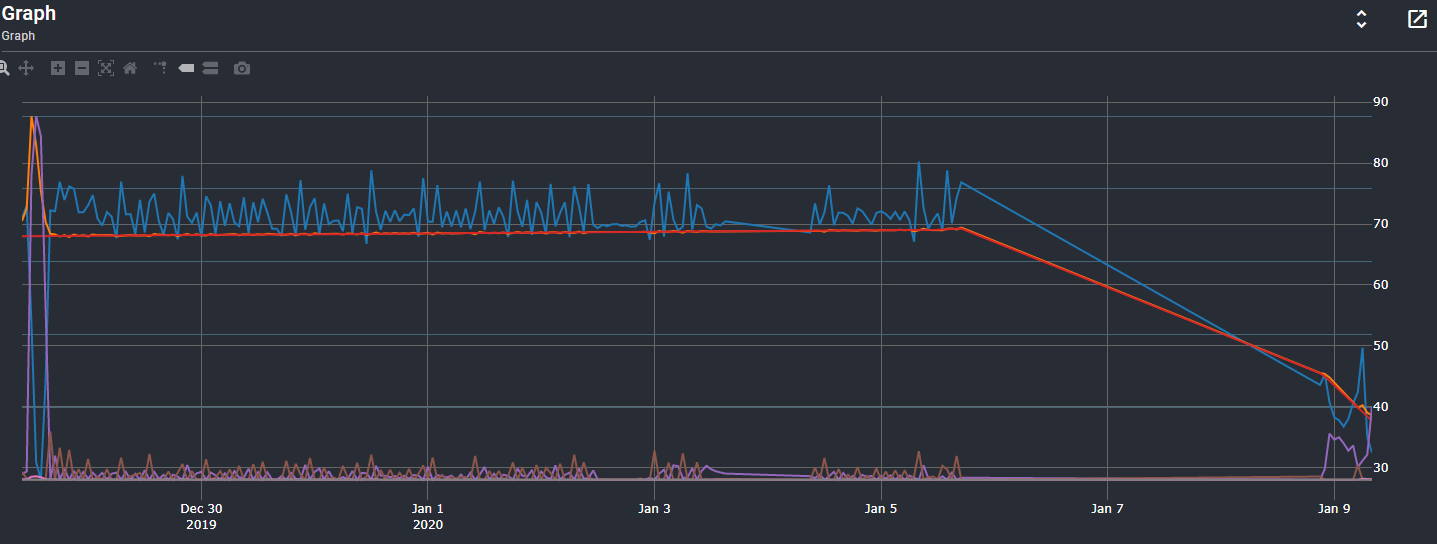
Well stupid me, I really was brain dead. Spark is not replying to BrewBlox but it did to pings, BB service must be messed up. So like the old Windows nut that I am I tried the Spark equivalent of alt-ctrl-del, pulled out the power, waited ten seconds and plugged it in again. Bingo, all my stores back and showing correct information. The only strange thing is that the Dashboard Graph only shows from the moment of the Spark reboot, all prior logging is lost. While that is not a disaster, is that correct or is there a way to view prio data points?
Happy to hear it works now.
Sounds like the issue was the communication handling on the Spark. That can hang on network changes, requiring a reset.
Squashing any and all bugs in the vicinity is the next item on the to-do list for firmware.
You can edit the period shown by the graph in either the menu (menu button in the widget toolbar), or by showing the Full mode (expansion button in the widget toolbar).
Right now it’s only showing from reboot because the start time for the period lies in the gap with no data. The graph will automatically zoom to fit the data.
THANKS for all your help! Perfect display
1 Like
Bob, Sorry to trouble you…I am experiencing the Spark communication issue on a regular basis. Any specific troubleshooting that I can do? Or should I try connecting the RPi to the Spark via the USB cable again? [And I was just getting used to having the RPi in my office and the Spark in the basement Brewery room, communicating over the WiFi network.}
Stefan
Could you please run brewblox-ctl log?
We solved some connection issues in the last release, but more remain. The Spark still suffers from hangups if the network resets. A manual reboot may help, but it depends on network stability.
Sorry for the delay, been away for a while. here is the log link https://termbin.com/ehgw
Stefan
And yes a manual reboot (pull the power, wait, reconnect) does work but only for an undetermined amount of time (24-48 hrs?)
Your logs are consistent with the spark having connection hangups: the service loses connection, and can’t find the spark anymore.
We have some changes in progress, but they’re not yet ready for release.
For now I’m afraid that if you’re experiencing issues, USB is indeed the more reliable option.
I can do that. It was nice having my RPi up here in the office, but I will move it back down next to the Spark.
Thanks again for all your help’
Stefan
As an update: we have a fix for the connection issues, and will be releasing that on monday.
1 Like