Hi
I have been away for a while and tried to start up Brewblox with Spark 3. The spark display is blank, the blue light is breathing. The Rp1 is responding on SSH and there is a WiFi connection.
Correction: it doesn’t seem to be on WiFi.
It shows up on fing, but I can’t come in via my browser
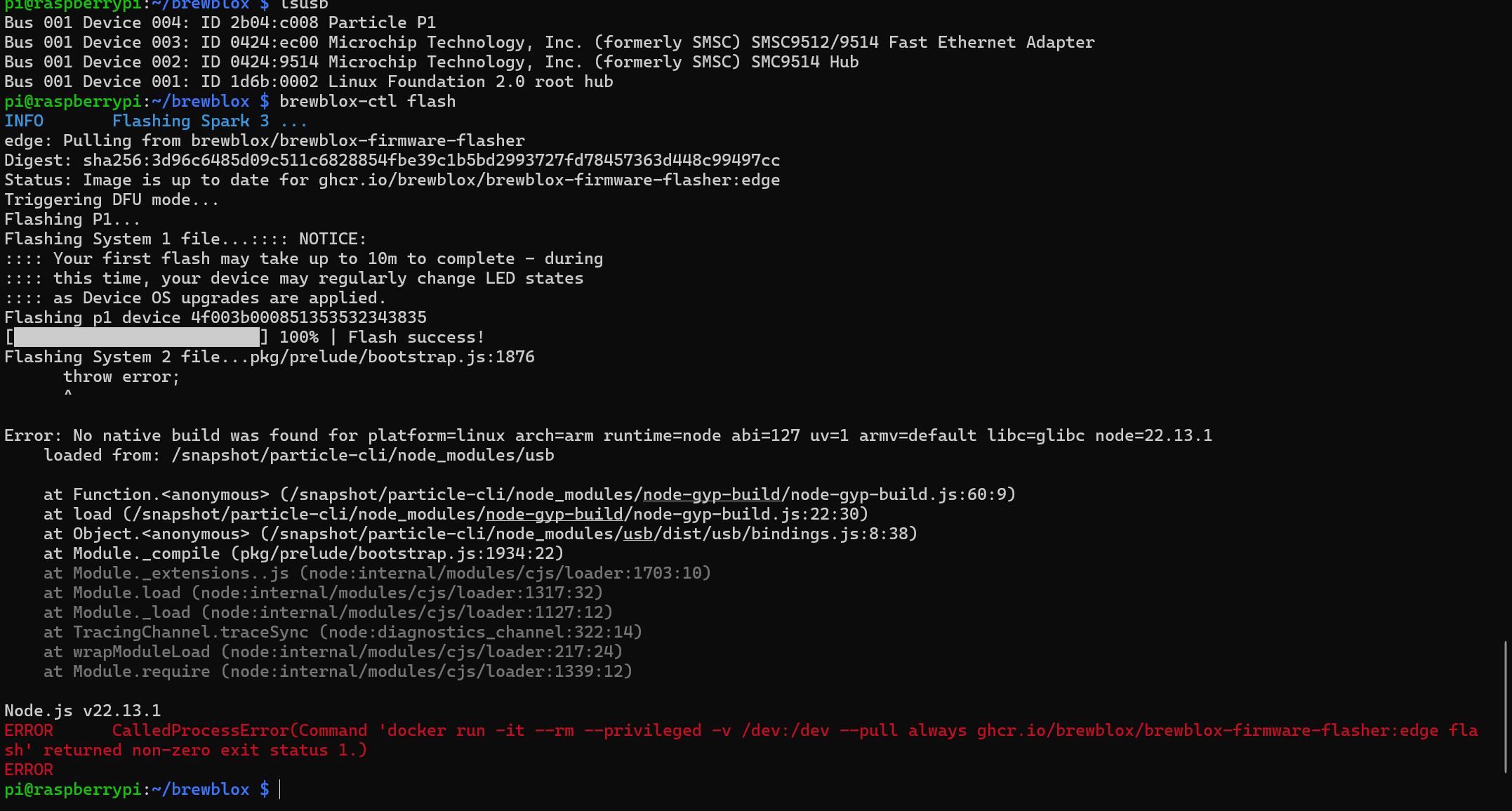
My spark 3 is still blank. I try to reset my PPi and I wonder if there is a problem outside of my house.
8c83G2FvWp
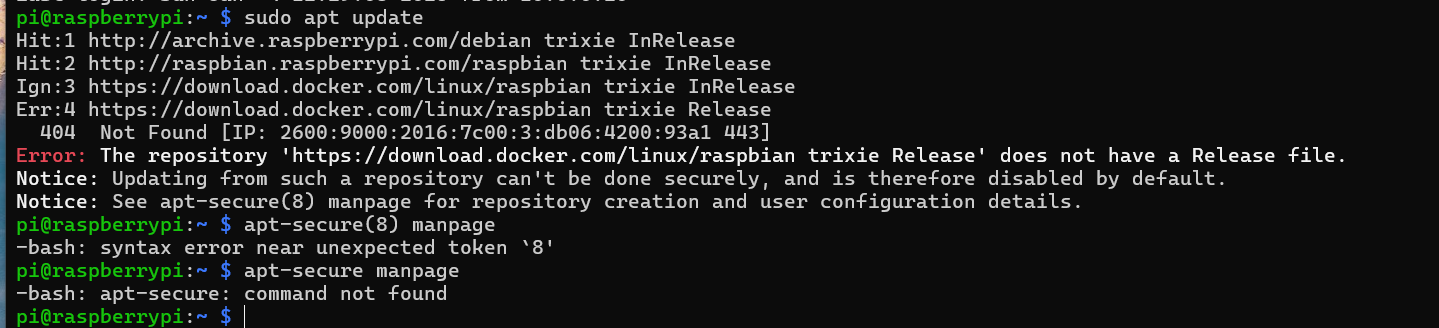

On which version of the raspberry pi is this? and is it on 32 or 64 bit?
Docker is dropping support for 32-bit. I am not sure that’s the cause, but I recommend switching to 64-bit.
I have rpi 3, 32 bit lite os. Should I redo the initial SD startup? 64 bit lite?
Yes the 64 bit version will give you less trouble
Thank you, and incidentally: wish you a happy new year.
I have redone the SD with 64 bit lite.
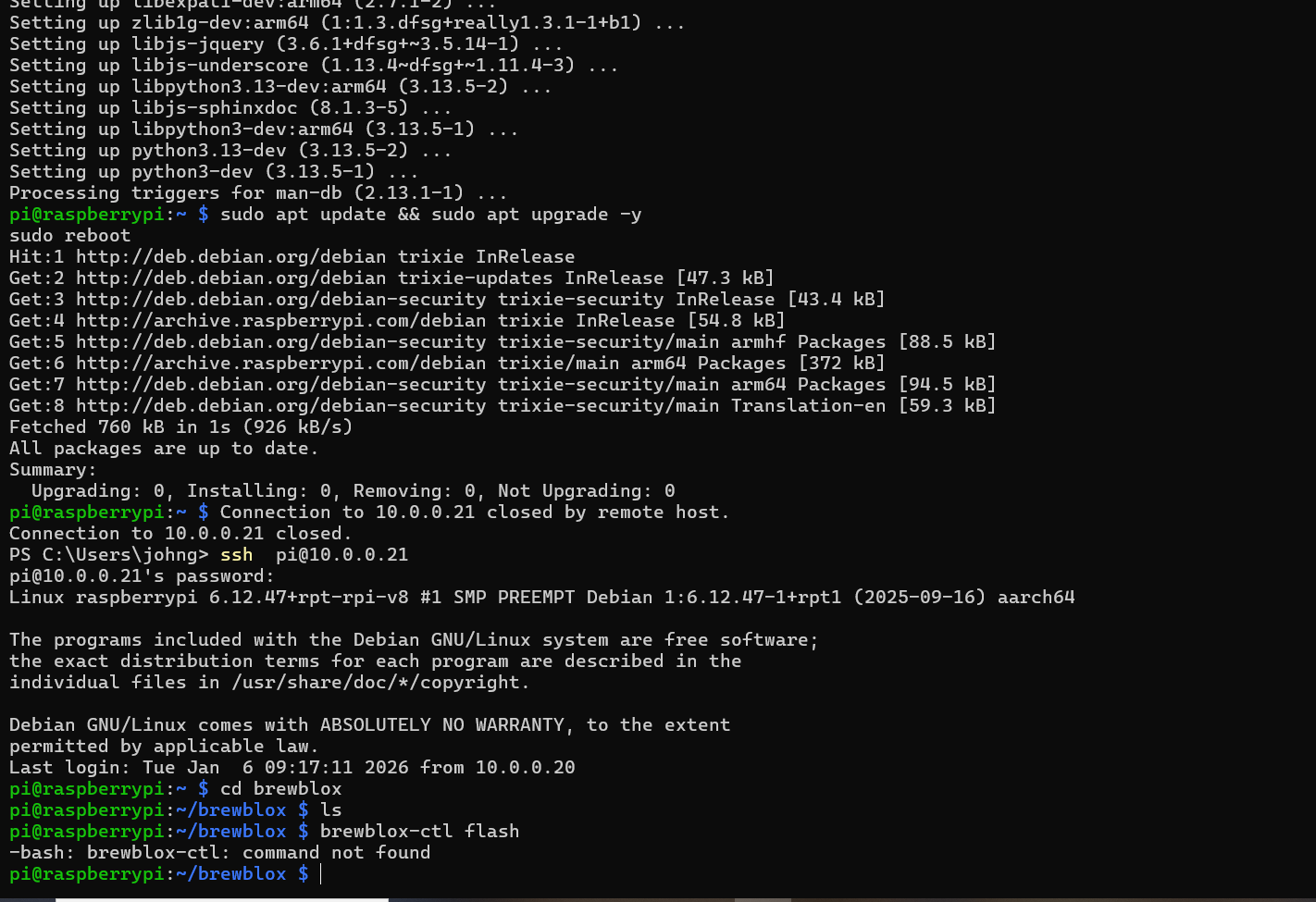
As seen, brewblox-ctl is not a known command.
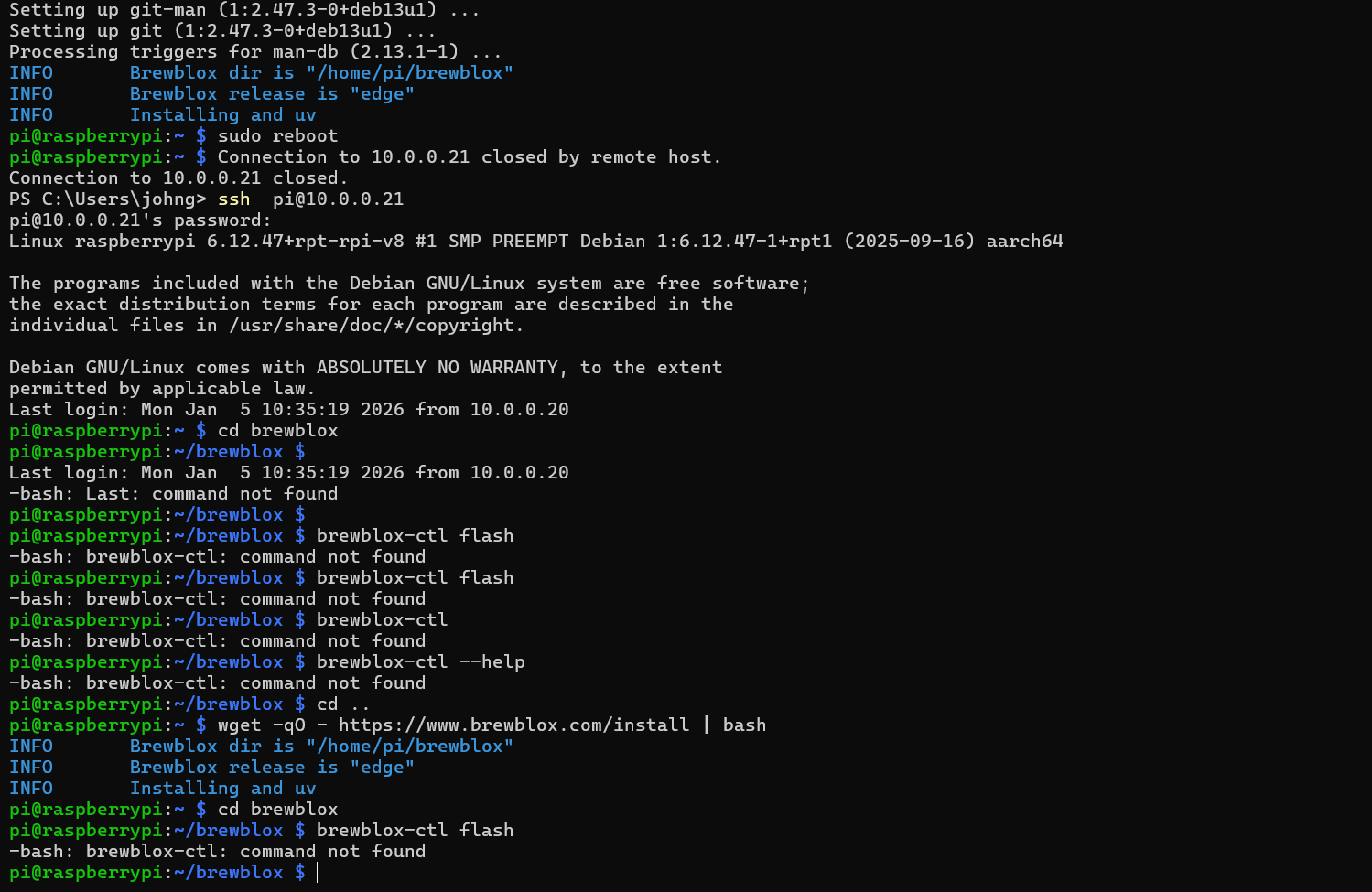
The brewblox directory is there, but it is empty.
If the directory is empty, you will need to start over the installation of Brewblox on the rpi.
Run the following command to do so:
cd ~ && rm -r brewblox/ && wget -qO - https://www.brewblox.com/install | bash
Once that completes, you should be able to run:
cd brewblox && brewblox-ctl flash
Brewblox dir is still empty
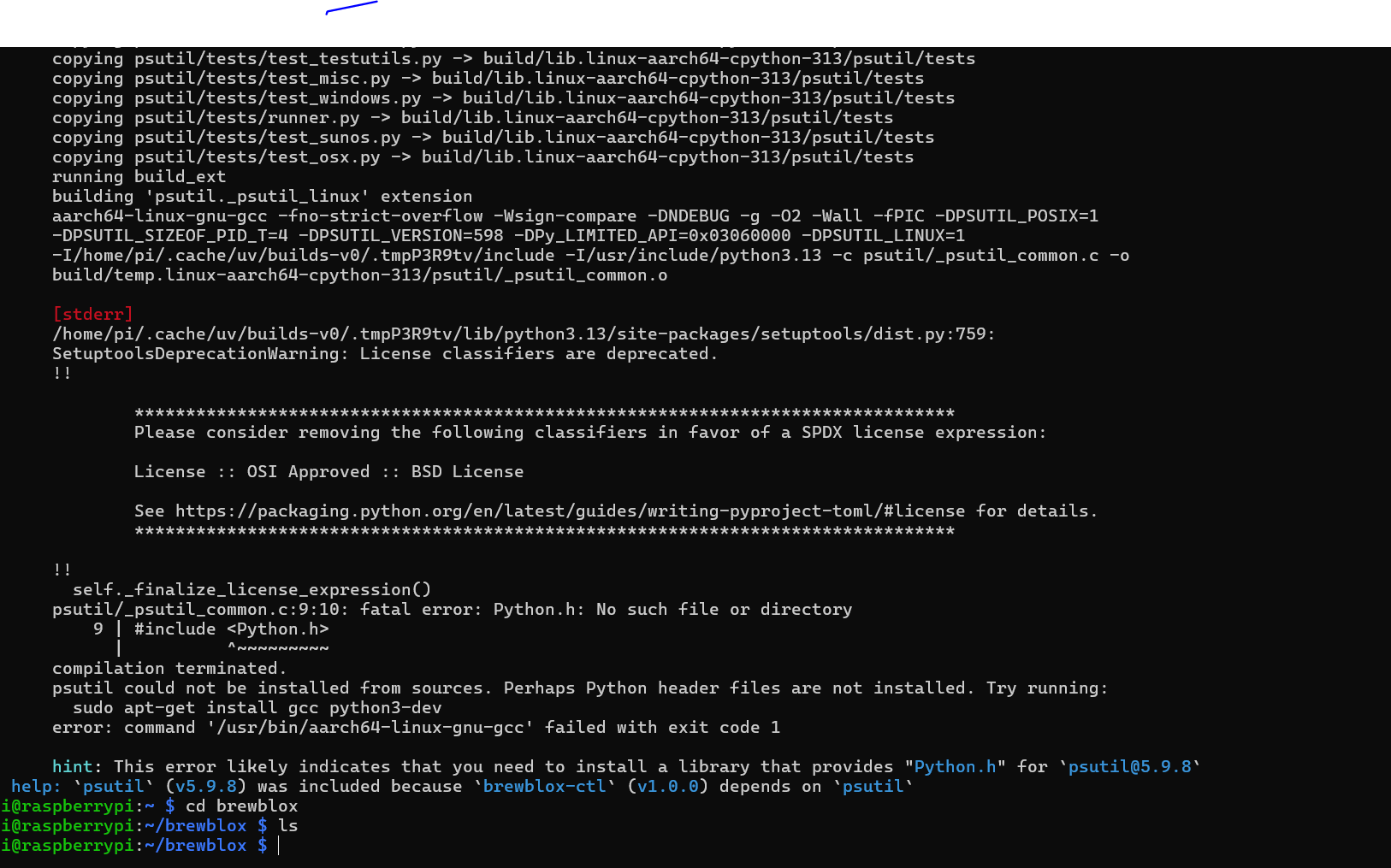
can you try sudo apt-get install python3-dev before running the installer?
I am not sure why it is building ps-util instead of using an already built binary release, but if you install python3-dev, it at least will be able to build it.
brewblox dir is still empty
It’s working now, my fault, sorry!
My spark 3 is breathing blue, but the screen is dark,
What is the output when you run brewblox-ctl flash?